Give Claude web scraping powers
Connect Ultimate Web Scraper to Claude or Claude Code and scrape whole websites, query the results and run automations — right from the conversation.
 Ultimate Web Scraper
Pulled the whole store — one row per variant:
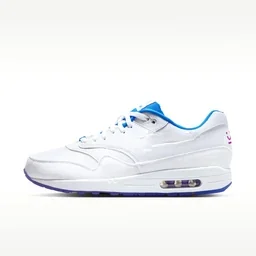 Low-Top Sneaker, White$120
 High-Top Sneaker, Red$135
 Turf Cleat, Neon Green$95Ultimate Web Scraper
Scraped all 186 — here's the table:
 Steel Watch, Red Dial18
 Gold Day-Date Watch42
 Digital Sport Watch, Teal7Ultimate Web Scraper
Collected 264 emails:
Ultimate Web Scraper38 products match:
 Rattan Arch Bed, Walnut$1,290
 Curved Headboard Bed$980
 Solid Wood Dining Table$1,540
Works with MCP-compatible AI apps
 Claude
 ChatGPT
 Cursor
 Perplexity
 Hermes
 OpenClaw


Connect Claude in 3 easy steps
Install the extension
Connect Claude
Part of the paid cloud plans.
Just ask
Copy it, paste it into Claude.
Using Claude Code? It’s one command → ChatGPT? See the ChatGPT page → Cursor or another AI app? See the MCP page →
Scrape in plain English
Tell Claude what you want, get a table back. It picks the tools and runs the scrape — no selectors, no code.
Ultimate Web ScraperPulled the whole store — one row per variant.
Scraping tools your agent can use
Scrape Shopify, WooCommerce, Magento and Salesforce Commerce Cloud stores, product pages, emails, phone numbers, social profiles and map listings — or map entire sites from their sitemaps.
Page Scraper
scrape_pagesExtract one row per URL from similar pages of one site — products, listings, articles, job and real-estate pages. Structured data captured automatically, no selectors; page metadata and phone numbers can join as extra columns.
Shopify Extractor
extract_shopify_storeExtract an entire Shopify store, or just the collections you name, into one row per variant — price, SKU, options, images, availability.
WooCommerce Extractor
extract_catalogExtract an entire WooCommerce store, or the categories you name, into one row per variant — price, SKU, stock, images, variations.
Magento Extractor
extract_catalogExtract an entire Magento store, or the categories you name, into one row per variant — price, SKU, stock, images, configurable options.
Salesforce Commerce Cloud Extractor
extract_catalogExtract an entire Salesforce Commerce Cloud store, or the categories you name, into one row per product — price, stock, images and variation options, read from each product’s storefront JSON.
Contact Extractor
extract_contactsBuild lead lists across many different sites — one row per site with emails, social profile links, or both in one run. Deep scan follows internal links to reach contact and team pages.
Map Places Extractor
extract_map_placesPull name, rating, review count, address, phone, website and opening hours from map place pages — one row per place.
Sitemap Explorer
discover_sitemap · select_sitemap_urlsMap every page on a site from its own sitemap, grouped into sections, then pick which ones to feed the Page Extractor. No URL list needed.
Website Analyzer
analyze_websiteCheck any site before you scrape it — detects the platform, finds the sitemap, picks the approach that works.
Automation Control
run_automation · update_automationLet Claude run any saved automation — cost estimated from its run history first — reschedule or pause it, and read its latest results.
Data Cleanup
deduplicate_rows · delete_rows · merge_columnsLet Claude clean up your data after the scrape — rename or merge columns, drop the ones you don’t need, delete unwanted rows and remove duplicates.
Plus it runs any point-and-click scraper you’ve built in the extension, keeps any job on a daily schedule, and answers “how do I…?” straight from our docs.
Why connect us to Claude
On its own, Claude reads a handful of pages, one at a time. Connected to us, it scrapes thousands — real browsers, proxies in the location you pick and a clean table back.
Without
I could only reach a few pages — most were blocked or came back empty. You’d need to paste the rest in yourself, a handful at a time.
- Reads a handful of pages before the conversation is full
- One page at a time, in the chat, while you wait
- Pages that build themselves with JavaScript come back empty
- Every request from one address, one page at a time
- Results are text in a chat — gone when you close it
- To analyse it, you paste the data back in and hope it fits
- Want it again tomorrow? Ask again from scratch
With
Ultimate Web ScraperScraped all 186 product pages into one table.
Steel Watch, Red Dial18Gold Day-Date Watch42Digital Sport Watch, Teal7- Thousands of pages in a single job — up to 10,000 sites for contact data
- Runs on parallel cloud browsers — close the tab, it keeps going
- Real browsers that render the page the way you'd see it
- Runs from many locations, retries built in
- Results land in a saved table you can filter, export and re-run
- Ask questions of a 100,000-row table without it entering the chat
- Put it on a daily schedule and the table stays fresh
You stay in charge: a new scrape always shows its price before it runs, and you can connect read-only so it can look but never scrape or change anything.
Built to handle scale
Your AI does the asking — our cloud does the scraping. Every job runs on our infrastructure, not your machine.
 Ultimate Web ScraperCloud5 browsers running5 running
Parallel browsers
Many sites scraped at once.
Proxies, built in
ISP & residential, any country.
Reliable at scale
JS rendered, retries built in.
Long, unattended runs
Up to 24 hours a job.
Cloud-only
Nothing to host or keep awake.
How to connect Claude
Claude (web and desktop)
Guided sign-in — no key to create, nothing to keep safe.
Install the extension
Connect Claude
Paste it in Claude: Settings → Connectors → Add custom connector.
Just ask
Copy it, paste it into Claude.
Using Cursor or another MCP-compatible app? It connects with an access token instead — everything’s on the MCP page.
Common questions
MCP (Model Context Protocol) is an open standard that lets an AI assistant use other apps on your behalf. Ultimate Web Scraper runs an MCP server, so once you connect it, Claude can use our scraping tools the same way it uses its own. You don't need to understand any of it to use it — you paste one link and sign in.
No. If you can copy a link and paste it, you can do this. The whole setup is: install the extension, open Settings → Connect Claude, paste one link into Claude's settings, and sign in. About a minute — no API keys, no config files, nothing to keep safe.
It's the easiest way, and it's what we recommend: the extension has the Connect Claude, Connect ChatGPT and Connect MCP buttons built in, and it's where you build the point-and-click scrapers your AI can then run. Strictly speaking the connection itself only needs a cloud account on a paid plan, so if you already have one you can also connect from your dashboard's Integrations page. Tables your AI creates live in your cloud workspace, viewable in the dashboard.
Yes — one line in the terminal adds the connector, and you sign in the first time you use it, no key to create. ChatGPT is sign-in based too, though its setup runs through developer mode and the Plugins screen — that's our ChatGPT page. Cursor and other MCP-compatible apps connect with an access token instead; see our MCP page for those setups.
You can paste up to 500 links into a single request. To go bigger, point it at a table you already have: emails and social profiles run across up to 10,000 URLs that way, and product pages, phone numbers and map places up to 2,000. Product-page and phone-number jobs need all the URLs to be from the same website. Mapping a site's own sitemap can pull in far more pages than you'd ever paste by hand.
Ask for it in the chat: CSV, JSON or Excel, plus a Shopify-import file for Shopify catalogues. You get a download link that stays valid for 24 hours, and a link to browse the table online. Google Sheets works too once you've connected Sheets in your dashboard — each export creates a new spreadsheet.
The Chrome extension is free to install. Connecting an AI is part of the paid cloud plans. After that, reading, querying, cleaning and exporting your data cost nothing — credits are only used when your AI actually scrapes pages, at around 1 credit per page. Mapping a whole site's pages is a flat 25 credits, and free if you re-scan the same site within the hour.
No. It only ever reaches your cloud workspace, and only the one workspace you pick during setup. It can't see your computer, your files, your open tabs or your browsing history, and anything you scraped locally in the extension stays on your machine.
Before it scrapes pages or pulls a store catalogue, it shows you the estimate and waits for you to confirm — and it counts the rows first before deleting anything. Two things do charge as soon as you ask for them: mapping a whole site (a flat 25 credits) and re-running a scraper you already built (about 1 credit per page). If you'd rather it couldn't spend at all, connect with read-only access.
It can start five ready-made jobs — product details, emails, social profiles, phone numbers and map places — plus full store catalogues (Shopify, WooCommerce, Magento and Salesforce Commerce Cloud) and whole-site mapping, and it can run any scraper you've already built. Point-and-click scrapers, where you choose exactly which parts of a page to grab, are built by you in the extension. Image Downloader is extension-only too. LinkedIn pages can't be used as scrape targets.
Stop copy-pasting. Start asking.
Install the free extension, connect Claude once, and your next scrape is a sentence away.
Free to install · 100,000+ users · 4.6★ on the Chrome Web Store
Claude is a trademark of Anthropic, PBC. Ultimate Web Scraper is an independent product and is not affiliated with, endorsed by, or sponsored by Anthropic. All other product names and logos are trademarks of their respective owners, used for identification only.