NewConnect your AI agent

Extract data from
any website

Extract products, prices, images and reviews from any page in one click — or connect your AI agent and let it do the scraping for you.

Free to install · No code · Works in Chrome, Edge & Brave

100,000+ users

4.6 on the Chrome Web Store

See it work

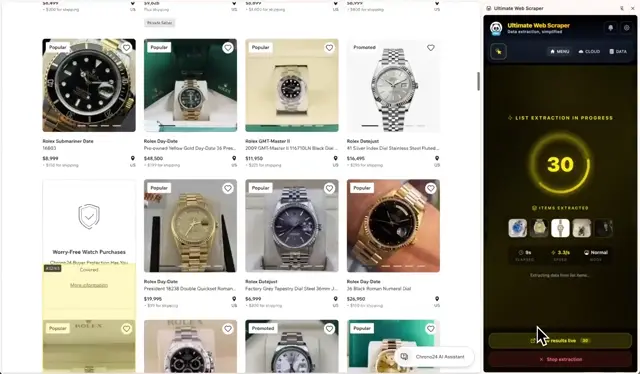
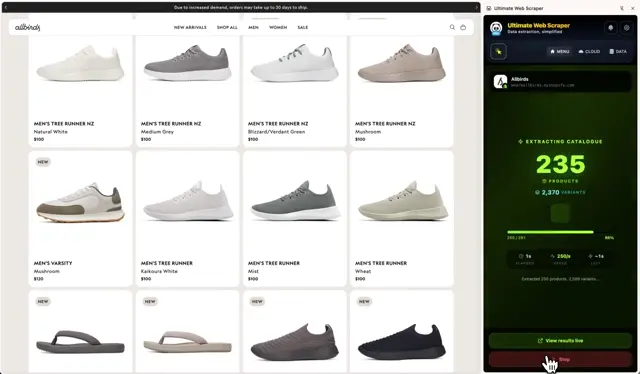
Titles, prices, images and links — every product on the page.

The product

One no-code web scraper. Three ways to use it.

Start free in your browser. Connect your AI agent and just ask — it handles the rest. Or offload to the cloud for scale and schedules.

Do it yourselfExtension
List Extractor48shop.example.com

Chrome extension

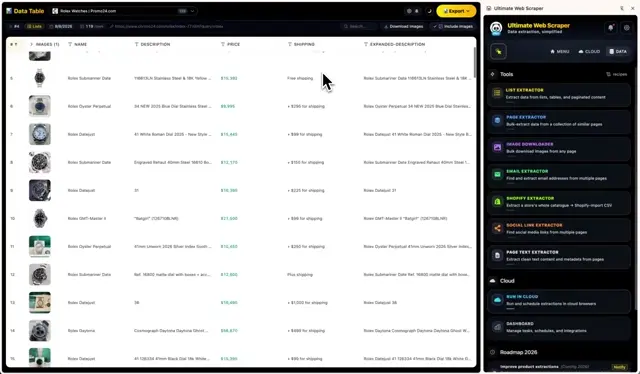
Hover a list, click it, get every row. Point-and-click tools in Chrome’s side panel, with results in an editable table you can export.

  • Unlimited extraction — no page or row caps
  • Nothing leaves your browser
  • Works on pages you’re logged into
Let AI do itAsk AI
Scraping in the cloud…48Scrape shop.example.com for me

AI agents & MCP

Connect Claude — or any AI app you use — once. Then just ask: it runs the scrape on our Cloud Platform and hands you a clean table.

  • Thousands of pages per request
  • Saves your tokens — no raw HTML in the chat
  • Filter, sum and dedupe 100,000-row tables
Let it runCloud
Cloud PlatformDaily · 06:00shop.example.comScheduledRunningDoneNext run · 06:003 parallel browsers · Germany1,240 rowsGoogle Sheets

Cloud Platform

Offload a scrape you’ve built to our cloud browsers. It runs at scale, on a schedule, from the country you pick — and delivers fresh data on its own.

  • Parallel cloud browsers, built for volume
  • Proxies and unblocking built in
  • Straight into Google Sheets or a webhook
Chrome extension · No code

The Chrome extension — click one item, get the whole list.

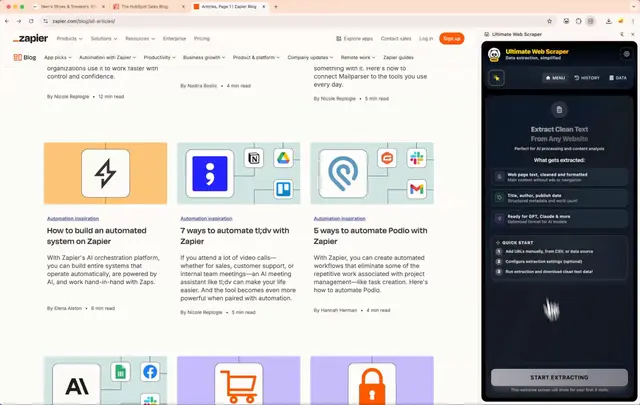
It lives in Chrome’s side panel, next to the page instead of on top of it. Whatever you’re looking at — a catalogue, a directory, a store, a list of links — the tool for it is one click away, and the page keeps working while it runs.

Whatever you pull, it lands in a spreadsheet

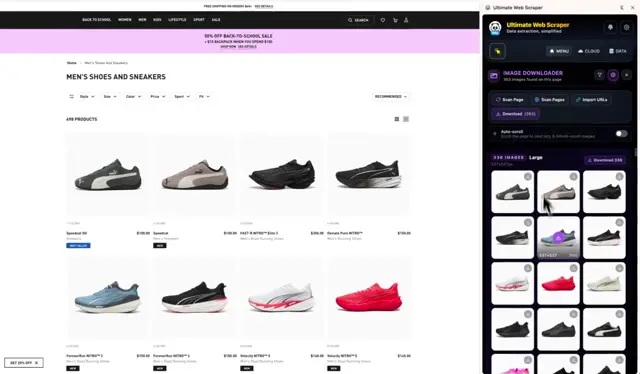
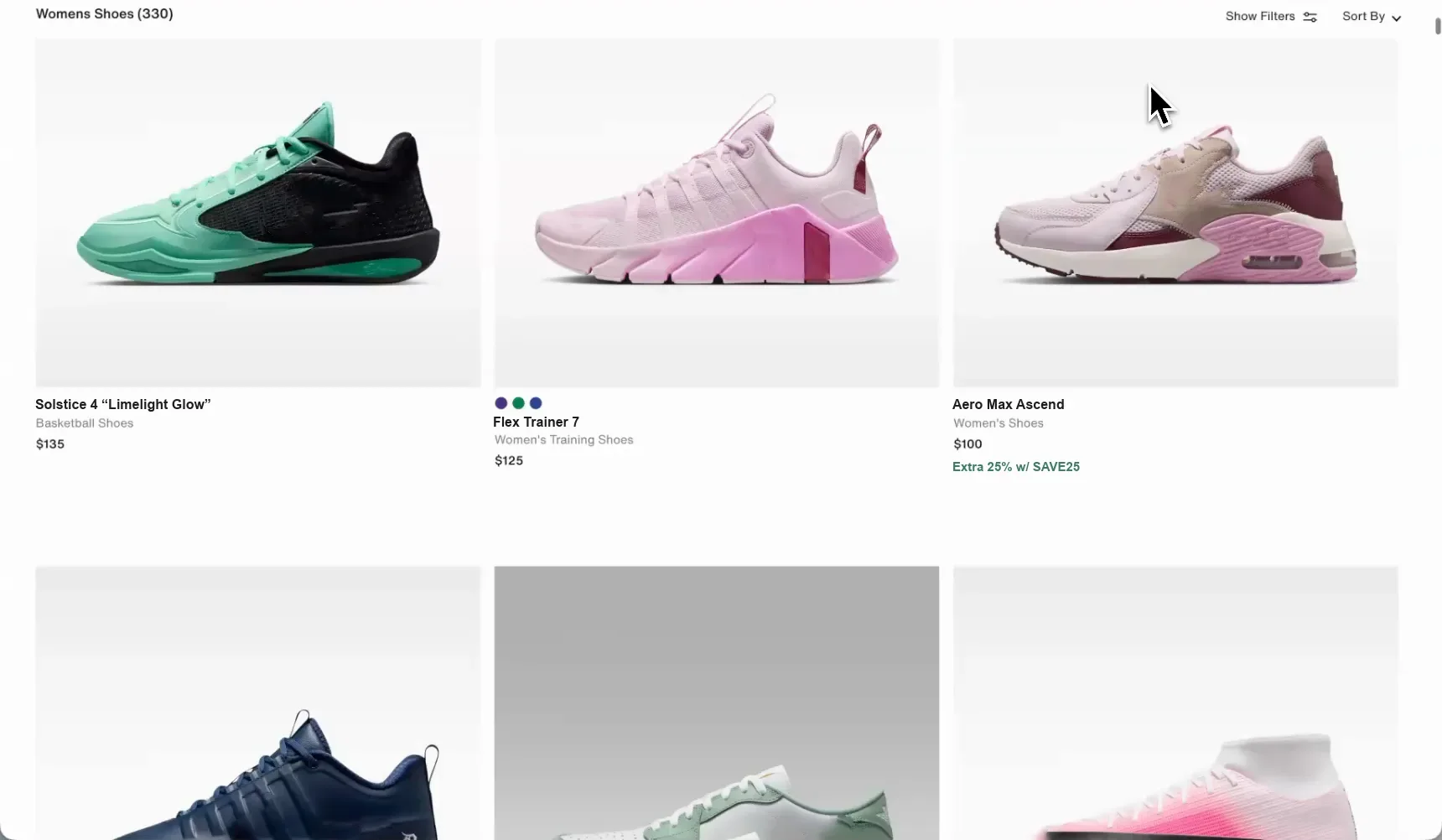
The shoe retailer’s listing page the rows were taken from — a grid of trainers with names, categories and prices.The page it came from
B6Apex 1 Mid
ABD
1ImageProductPrice
2Zegama Trail GTX$180.00
3Rift Satin Low$160.00
4Rove 3 “Animal Pack”$130.00
5Comet 1 “Cobalt Blue”$140.00
6Apex 1 Mid$91.97$130.00
7Velocity Superfly 11 Elite$310.00
8Solstice 4 “Limelight Glow”$135.00
womens-shoes330 rows × 5 columns
The first ten of 330 rows off one product listing — names, categories, prices, product images and links, every column named and typed on its own. The sale price and the price it was struck from both survived. Drag the handle to see the page they came from.
new

Page Metadata

Add one step to a Page Extractor run and every page returns its title, description, image, author, date and canonical URL. No selectors.

improved

Multi-column image names

Name downloaded files after several columns at once — pick Brand, then Name, and they save as Brand_Product_Name.

rebuilt

Page Extractor 2.0

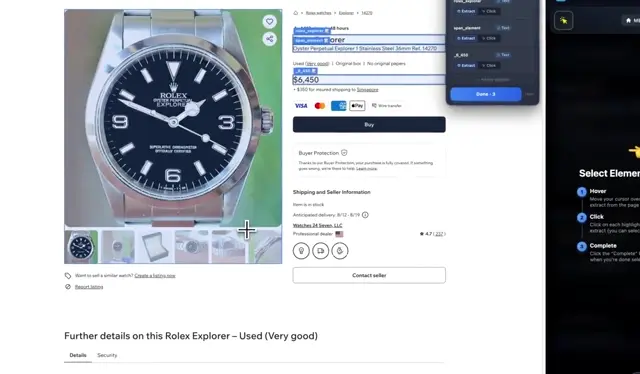
Point it at product pages and it finds the fields itself — prices, images, reviews. Stack your own steps with the new picker.

new

Sitemap Explorer

Map a domain into a browsable tree and send the pages you pick to the Page Extractor. No URL list to build first.

★★★★★
“I’ve used many scrapers in the past, but this one is by far the best, most complete, flexible, and easiest to use. Don’t hesitate!”
Ken KrauseChrome Web Store review

Everything here runs on your own machine, on the pages you’re already logged into. Nothing is uploaded unless you choose to.

Add to Chrome — Free
New · AI agents & MCP

Scrape with Claude — or any AI agent.

Connect Ultimate Web Scraper to Claude, Claude Code, Cursor or any MCP-compatible AI and scrape whole websites, query the results and run automations — right from the conversation. You say “scrape the products on this store and send them to my Google Sheet”; it hands back a finished table.

ClaudeUltimate Web Scraper
Scrape the entire catalogue of [your-store.com] — every product and variant.
Shopify Extractor412 products

Pulled the whole store — one row per variant.

1,180 rows · 7 columnsView table →

Works with Claude, Claude Code, Cursor and any MCP-compatible app

ClaudeChatGPTCursorPerplexityHermesOpenClaw

Your agent, on its own

  • Blocked after a handful of pages
  • One page at a time, while you wait
  • Gives up at a challenge page
  • Hands you a half-finished list

Your agent, connected to our cloud

  • Thousands of pages in one job
  • Parallel cloud browsers do the fetching
  • Renders JavaScript, clears the blocks
  • Retries, cleans, hands you a spreadsheet

What your agent can actually do

Every scraping tool your agent can call →

Scrape product pages

Name, price, SKU, availability, images — for every product URL on a site.

Export a whole Shopify store

Entire catalogue, one row per variant, ready to re-import somewhere else.

Map every page on a site

“Every product page on this site” — it maps the site itself and picks the slice you meant.

Collect contacts

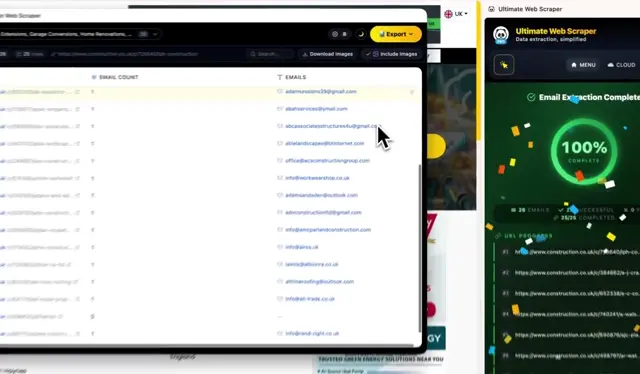
Emails, phone numbers and social profiles across thousands of company sites.

Scrape maps businesses

Name, rating, address, phone and hours for a list of places.

Query a 100,000-row table

Filters, sums and counts run against the table on our servers. The rows never enter the conversation, so size stops mattering.

Clean up your data

“Drop the empty columns, merge street, city and zip into an address, remove duplicates.”

Run and schedule your scrapes

“Re-run yesterday’s price scrape and do it every morning from now on.”

Export to Google Sheets, CSV or Excel

A download link, or a new spreadsheet in the Google account you connected.

Save tokens on every scrape

Your agent sends one instruction. Our cloud platform does the extraction, and the results stay in a table it queries on our servers — never pasted into the chat.

No raw HTML in the chat. No blown context window.

What a 1,000-page scrape costs your conversation
A scraping skill, page by page in the chat1,000 pages of raw HTML
Ultimate Web Scraper, on our cloudone instruction, one table

Connect Claude in about a minute

Connect once, then just ask. Claude picks the tools and runs the scrape — nothing to build, nothing to learn.

Claude Code? One line in the terminal →

AI connections run on the Cloud Platform and are part of the paid plans. Reading, querying and cleaning your data costs nothing — you only spend when a scrape actually runs.

Connecting Claude, start to finish.By @emma.scrapes
Cloud Platform

Offload the scraping to our cloud browsers.

Hand the scrapes you’ve built to our cloud browsers. They take the big jobs — running in parallel, on a schedule, from wherever you need them to look local — and drop fresh data into your spreadsheet run after run.

  • shop.example.com

    Real Browsers

    A real browser renders the page — JavaScript runs, lazy content loads, and cloning your logged-in session opens gated pages. The built-in unblocker clears overlays on the way.

    ISP & residential IPs · Pick a country · 5 pages at once

  • AI agentsYour AI agentCloud Platform“Scrape this store every morning”

    Connect AI

    Connect Claude, Cursor or any MCP-compatible agent to your cloud workspace. It gets our scraping tools — you just ask, and the finished table lands in your workspace.

    Claude, Cursor & any MCP app · Runs & schedules scrapes · Queries result tables

  • Run everyEvery 10 minHourlyDailyDailyWeeklyMonthly

    Schedule

    Every ten minutes, every morning, or once a month. Your competitor price sheet updates before you wake up; your lead list is fresh for Monday.

    Every 10 min → monthly · Full run history · Stop or edit any time

  • Competitor pricesABCProductPriceStock1Trail Pack$49.00In stock2Desk Lamp$72.00Low3Aero Mug$38.00In stock4Wool Scarf$61.00

    Integrations

    Point a task at a Sheet and every run keeps it current — create a new one, replace the old rows, or append. Or send results to a webhook and let your own tools take it from there.

    Create, replace or append · Webhooks · CSV, Excel, JSON

Reviews

100,000+ professionals scrape with Ultimate Web Scraper

★★★★★
I've used many "scrapers" in the past, but this one is by far the best, most complete, flexible and easiest to use! Don't hesitate!
Ken KrauseChrome Web Store · Mar 2025
★★★★★
Fabulous tool, so promising I upgraded to premium.
Soma PymChrome Web Store · Jun 2025
★★★★★
Absolutely mindblown by the efficiency and ease of use of this extension. The results are amazing.
Luis PWChrome Web Store · Mar 2025
★★★★★
Top scraper! Very fast and good support!
Chris WackerChrome Web Store · Jan 2025
★★★★★
Works like a charm, Pro is worth it! The best and only scraper I use. Top-tier!!!!
JeffChrome Web Store · Mar 2025
★★★★★
Very good tool for data extraction.
Dennis HalvorsenChrome Web Store · Jul 2025
★★★★★
Very useful tool for web scraping!
Jack CulpanChrome Web Store · Oct 2024
★★★★★
Awesome product! It works better than a lot of scrapers in the market.
Taimoor AliChrome Web Store · Mar 2025
★★★★★
Excellent performance. I liked it. Good tool.
Sajmal PChrome Web Store · May 2025
★★★★★
If you're a marketer who needs to do research or a price index, even with a paywall for extracting data I think the value is fair enough. Great product.
Pedro Pablo Galindo OsorioChrome Web Store · Dec 2025
★★★★★
Fast and easy to use — worth it!
Thales BroussardChrome Web Store · Mar 2025
★★★★★
So far it's been an amazing tool.
Alfonso CarreteChrome Web Store · Oct 2025
★★★★★
Truly is the Ultimate Web Scraper. The extent of how intuitive and seamless this tool is, is nothing short of mind boggling.
Khaled AboushaaraChrome Web Store · Jul 2025
★★★★★
Excellent tool, and easy to use! Thank you!!!
Jeff HoellerChrome Web Store · Jul 2026
★★★★★
Great tool so far, does an incredible job on scraping lists. Nice work!
Daniele PaisChrome Web Store · Dec 2025
★★★★★
Great tool. No nonsense scraper.
Zvi TalitChrome Web Store · Apr 2025
★★★★★
Super easy to use! I got it up and running within a few minutes!
Kamran ParachaChrome Web Store · Nov 2025
★★★★★
Easy tool with a simple enough interface.
Florian SchommertzChrome Web Store · Jan 2026
★★★★★
Very quick and good scraper in the market.
Vishal KumarChrome Web Store · Oct 2025
★★★★★
Just installed the extension and it is awesome! Very intuitive.
Philipp WüthrichChrome Web Store · Jun 2024
★★★★★
Amazing product. I've subscribed to Pro.
Brian WeissChrome Web Store · May 2025
★★★★★
Top scraper! Exactly what I was looking for — simple to use and very powerful. Great job, keep going!
Georgi VassilevChrome Web Store · Feb 2025
★★★★★
Best scraper there currently is!
Maximilian StäblerChrome Web Store · Feb 2026
★★★★★
It's the best in the business!
James LewisChrome Web Store · Jun 2025
Get started

Start scraping in the next two minutes.

Two ways in. Neither needs code.

Free to install · No code · Works in Chrome, Edge & Brave

Questions people actually ask

Ultimate Web Scraper is a friendly web scraping platform for people and AI agents. People use the Chrome extension: point at anything on a page — products, prices, images, emails, reviews — click it, and export the lot to CSV, Excel or Google Sheets. AI agents like Claude connect to the Cloud Platform over MCP and run the same extractions on request: you ask for data in plain English, the scrape runs in the cloud, and the results land as a table in your workspace.