




Chrome extension · No code

Chrome
Web Scraper
Extension

Ultimate Web Scraper is a no-code chrome extension for scraping websites. Click one item on a page and it collects the whole list into a spreadsheet you can export to CSV, Excel or Google Sheets.

Works in Chrome, Edge & Brave · No account needed

100,000+ users

4.6 on the Chrome Web Store

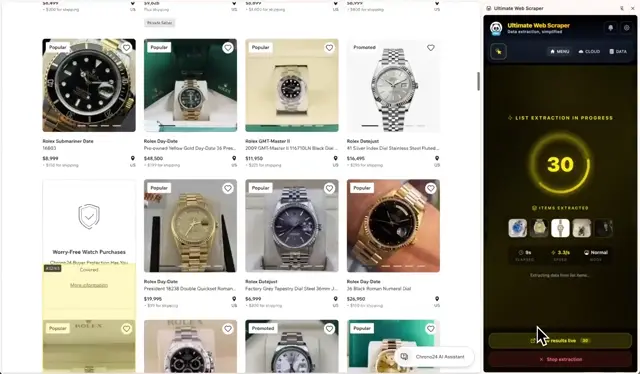
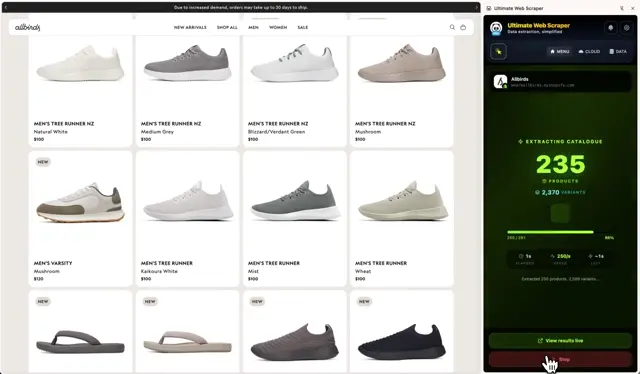
One click on one product, and all 330 of them land in the table — with prices, images and links.
How it works

From a web page to a spreadsheet in three steps

There is nothing to set up and nothing to learn first. You point at the information you want, on a page you are already looking at, and the extension works out the rest.

  1. Open the side panel

    Install the extension and pin it to your toolbar. It opens in a panel beside the web page rather than on top of it, so you can keep using the site while it works.

  2. Click one item

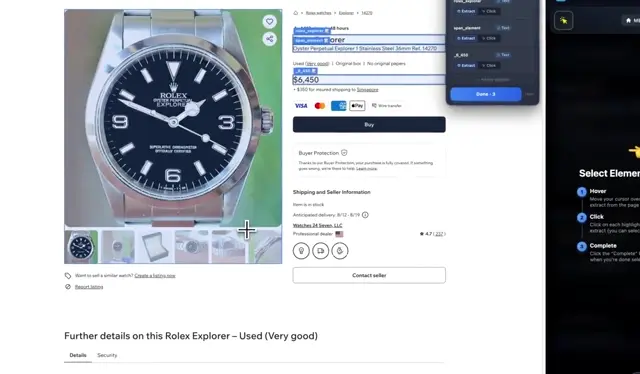
    Move your mouse over a list and the whole list lights up. Click one product, one row or one search result, and the extension finds every other one like it — including the ones further down the page.

  3. Get your spreadsheet

    Rows appear in a table as they are found. Tidy them up there, then download the file as CSV, Excel or JSON, or send it to Google Sheets.

Scraping tools

Seven scraping tools in one extension

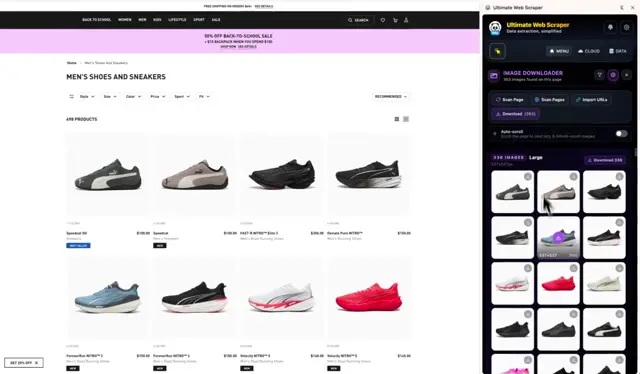
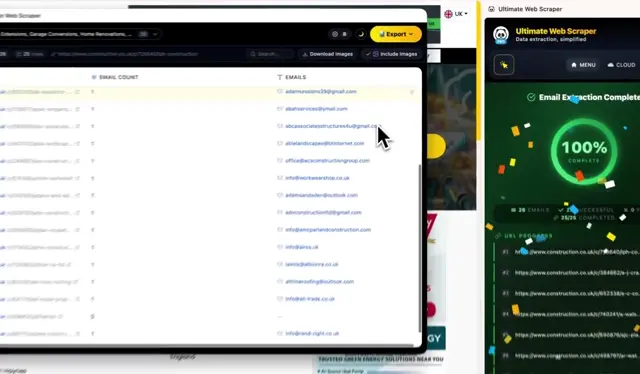
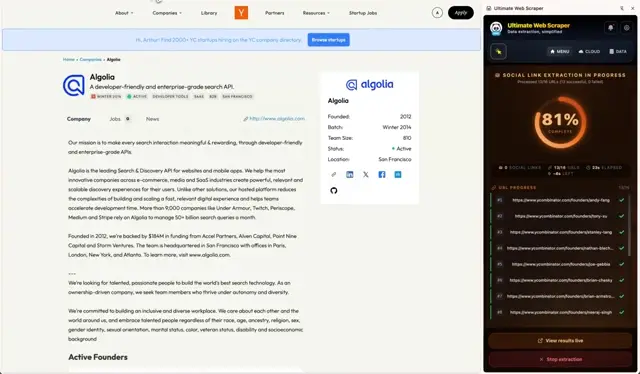
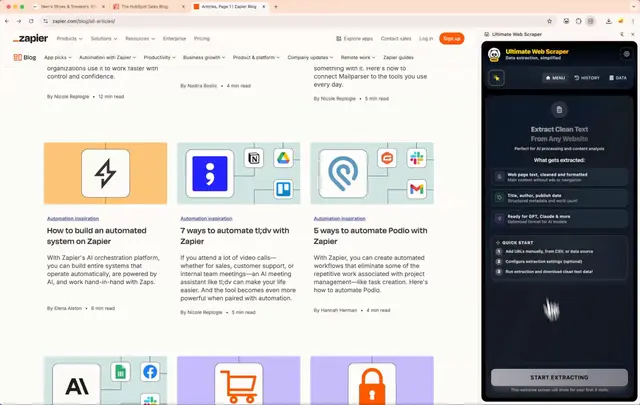
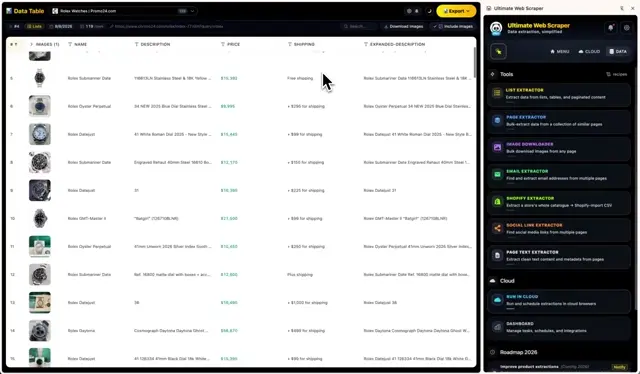
Each tool does one job: lists, whole pages, email addresses, social profiles, images, page text, or a Shopify store’s products. Three more features support them — find the web addresses before a scrape, hold the results after it, and save a setup you want to run again. Hover over a card to watch that tool work.

new

Page Metadata

Add one step to a Page Extractor run and every page returns its title, description, image, author, date and canonical URL. No selectors.

improved

Multi-column image names

Name downloaded files after several columns at once — pick Brand, then Name, and they save as Brand_Product_Name.

rebuilt

Page Extractor 2.0

Point it at product pages and it finds the fields itself — prices, images, reviews. Stack your own steps with the new picker.

new

Sitemap Explorer

Map a domain into a browsable tree and send the pages you pick to the Page Extractor. No URL list to build first.

The results table

Every scrape lands in a spreadsheet

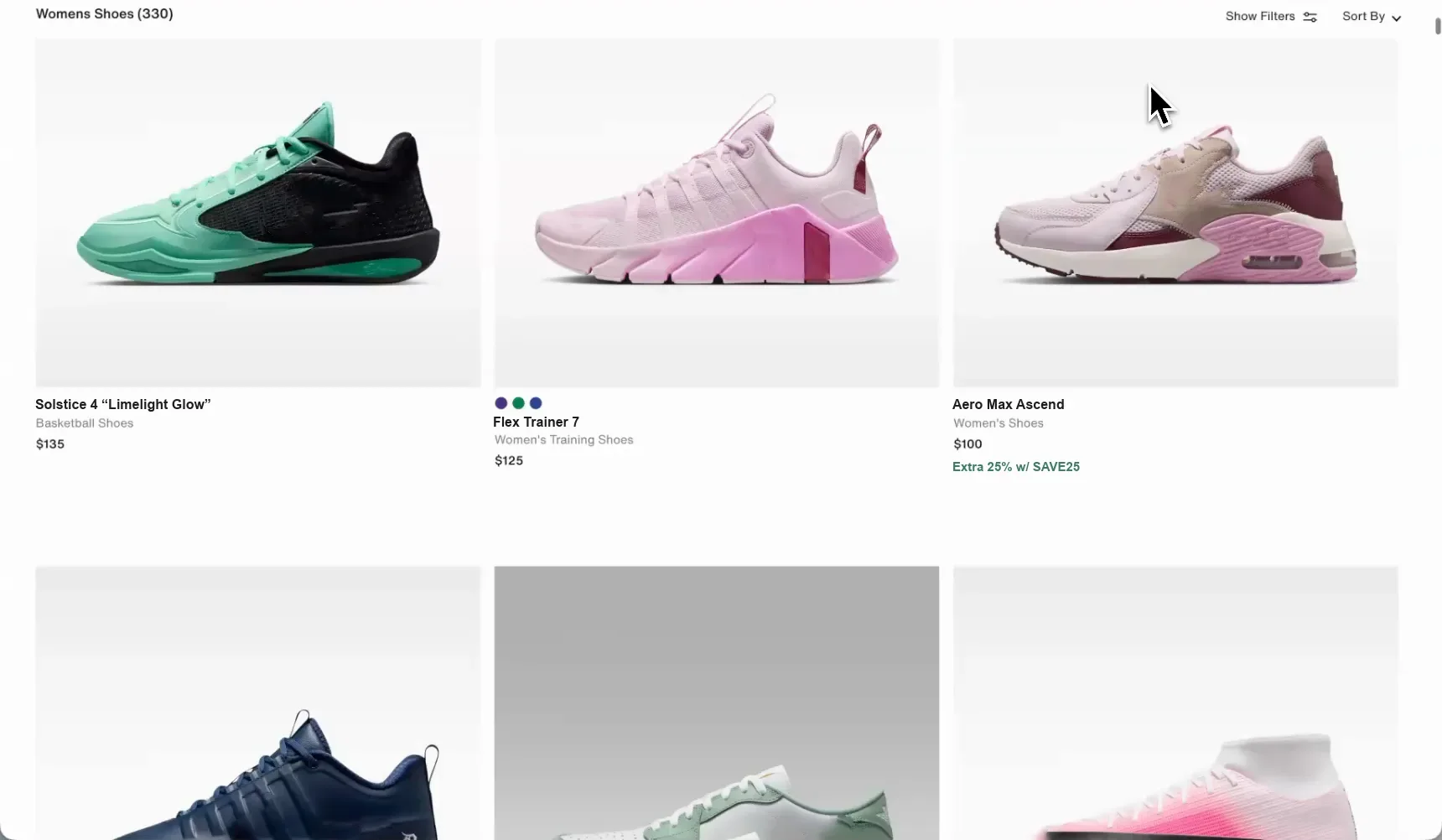
All seven tools write into the same table, and it fills up while the scrape is still running. Drag the divider below to see the web page these rows came off.

The shoe retailer’s listing page the rows were taken from — a grid of trainers with names, categories and prices.The page it came from
B6Apex 1 Mid
ABD
1ImageProductPrice
2Zegama Trail GTX$180.00
3Rift Satin Low$160.00
4Rove 3 “Animal Pack”$130.00
5Comet 1 “Cobalt Blue”$140.00
6Apex 1 Mid$91.97$130.00
7Velocity Superfly 11 Elite$310.00
8Solstice 4 “Limelight Glow”$135.00
womens-shoes330 rows × 5 columns
The first ten of 330 rows off one product listing — names, categories, prices, product images and links, every column named and typed on its own. The sale price and the price it was struck from both survived. Drag the handle to see the page they came from.
  • Edit it like a spreadsheet

    Fix a cell, rename a column, change what kind of data it holds, drag it somewhere else, or join two columns into one — street, city and postcode into a single address.

  • Clean it in one pass

    Remove empty rows, duplicate columns and the mostly-blank ones the website threw in. Sort on any column and search across all of them.

  • Take it anywhere

    Download it as CSV, Excel or JSON, or send it to Google Sheets. A scrape of a Shopify store can also come out as a file that store software will import directly.

  • It stays on your computer

    Results are saved in your own browser, not on our servers. Nothing is uploaded unless you export it yourself or choose to run the scrape in the cloud.

Built for real websites

It handles the websites that break other scrapers

Getting data off a simple page is easy. What costs you an afternoon is the list that only loads as you scroll, the site with no index to work from, or the catalogue you have to log in to see. Those are the ones this was built for.

  • Lists that load as you scroll

    Let it scroll the page for you, point it at a “Next” link, or point it at a “Load more” button. It keeps going until the list runs out — or until you stop it, and it keeps everything found so far.

  • Pages you have to log in to

    It reads the page your own browser is showing, already signed in. There is nothing to authorise, no password to hand over and no developer account to set up.

  • Sites with nothing to click

    Sitemap Explorer lists every page a website publishes — up to 50,000 of them — as a folder tree you can search. Tick the parts you want and they go straight into a scrape. The whole scan happens in your own browser.

  • Product pages, with no setup

    Give it a list of product pages and it reads the details the shop already publishes for Google — name, price, availability, brand, images and rating — and returns one row per product. You don’t pick anything.

  • Lists that go on forever

    There is no limit on how many rows or pages you scrape on your own computer, and no monthly allowance to run out of. Ten rows or ten thousand, it’s the same tool.

  • The scrape you run every week

    Save any setup and run it again with one click. You can also save it to a file and send it to a colleague — they open it and get exactly what you built.

Cloud and AI

Run it in the cloud, or let AI do it

The extension runs inside your browser, so your computer has to be on. When a scrape needs to run overnight, on a schedule, or on request from an AI assistant, you can hand the same setup to our Cloud Platform.

Let it runCloud
Cloud PlatformDaily · 06:00shop.example.comScheduledRunningDoneNext run · 06:003 parallel browsers · Germany1,240 rowsGoogle Sheets

Run it in the cloud

Set the scrape up here, then hand it to our servers. They run it on a schedule — every morning, every week — from whichever country you choose, and drop the fresh rows into a Google Sheet while your laptop is shut.


Let AI do itAsk AI
Scraping in the cloud…48Scrape shop.example.com for me

Or ask an AI assistant

Connect Claude — or Cursor, or another AI app — to your account once, from the extension’s settings. After that you can ask for data in plain English: it runs the scrape for you and reads the finished table back, without pasting web pages into the chat.

Reviews

100,000+ professionals scrape with Ultimate Web Scraper

★★★★★
I've used many "scrapers" in the past, but this one is by far the best, most complete, flexible and easiest to use! Don't hesitate!
Ken KrauseChrome Web Store · Mar 2025
★★★★★
Fabulous tool, so promising I upgraded to premium.
Soma PymChrome Web Store · Jun 2025
★★★★★
Absolutely mindblown by the efficiency and ease of use of this extension. The results are amazing.
Luis PWChrome Web Store · Mar 2025
★★★★★
Top scraper! Very fast and good support!
Chris WackerChrome Web Store · Jan 2025
★★★★★
Works like a charm, Pro is worth it! The best and only scraper I use. Top-tier!!!!
JeffChrome Web Store · Mar 2025
★★★★★
Very good tool for data extraction.
Dennis HalvorsenChrome Web Store · Jul 2025
★★★★★
Very useful tool for web scraping!
Jack CulpanChrome Web Store · Oct 2024
★★★★★
Awesome product! It works better than a lot of scrapers in the market.
Taimoor AliChrome Web Store · Mar 2025
★★★★★
Excellent performance. I liked it. Good tool.
Sajmal PChrome Web Store · May 2025
★★★★★
If you're a marketer who needs to do research or a price index, even with a paywall for extracting data I think the value is fair enough. Great product.
Pedro Pablo Galindo OsorioChrome Web Store · Dec 2025
★★★★★
Fast and easy to use — worth it!
Thales BroussardChrome Web Store · Mar 2025
★★★★★
So far it's been an amazing tool.
Alfonso CarreteChrome Web Store · Oct 2025
★★★★★
Truly is the Ultimate Web Scraper. The extent of how intuitive and seamless this tool is, is nothing short of mind boggling.
Khaled AboushaaraChrome Web Store · Jul 2025
★★★★★
Excellent tool, and easy to use! Thank you!!!
Jeff HoellerChrome Web Store · Jul 2026
★★★★★
Great tool so far, does an incredible job on scraping lists. Nice work!
Daniele PaisChrome Web Store · Dec 2025
★★★★★
Great tool. No nonsense scraper.
Zvi TalitChrome Web Store · Apr 2025
★★★★★
Super easy to use! I got it up and running within a few minutes!
Kamran ParachaChrome Web Store · Nov 2025
★★★★★
Easy tool with a simple enough interface.
Florian SchommertzChrome Web Store · Jan 2026
★★★★★
Very quick and good scraper in the market.
Vishal KumarChrome Web Store · Oct 2025
★★★★★
Just installed the extension and it is awesome! Very intuitive.
Philipp WüthrichChrome Web Store · Jun 2024
★★★★★
Amazing product. I've subscribed to Pro.
Brian WeissChrome Web Store · May 2025
★★★★★
Top scraper! Exactly what I was looking for — simple to use and very powerful. Great job, keep going!
Georgi VassilevChrome Web Store · Feb 2025
★★★★★
Best scraper there currently is!
Maximilian StäblerChrome Web Store · Feb 2026
★★★★★
It's the best in the business!
James LewisChrome Web Store · Jun 2025
Get started

Two minutes to your first spreadsheet.

Nothing to configure, and no account needed to start.

Works in Chrome, Edge & Brave · No account needed

Not in Chrome right now? Several of these also run as browser tools with nothing to install.

Questions about the extension

Yes, and it isn’t a trial. Installing it is free, and scraping on your own computer is unlimited — every tool, as many pages and rows as you want, with no monthly allowance to run out of. A few advanced options, and anything you choose to run on our servers instead of your own machine, are part of a paid plan. The pricing page has the details.