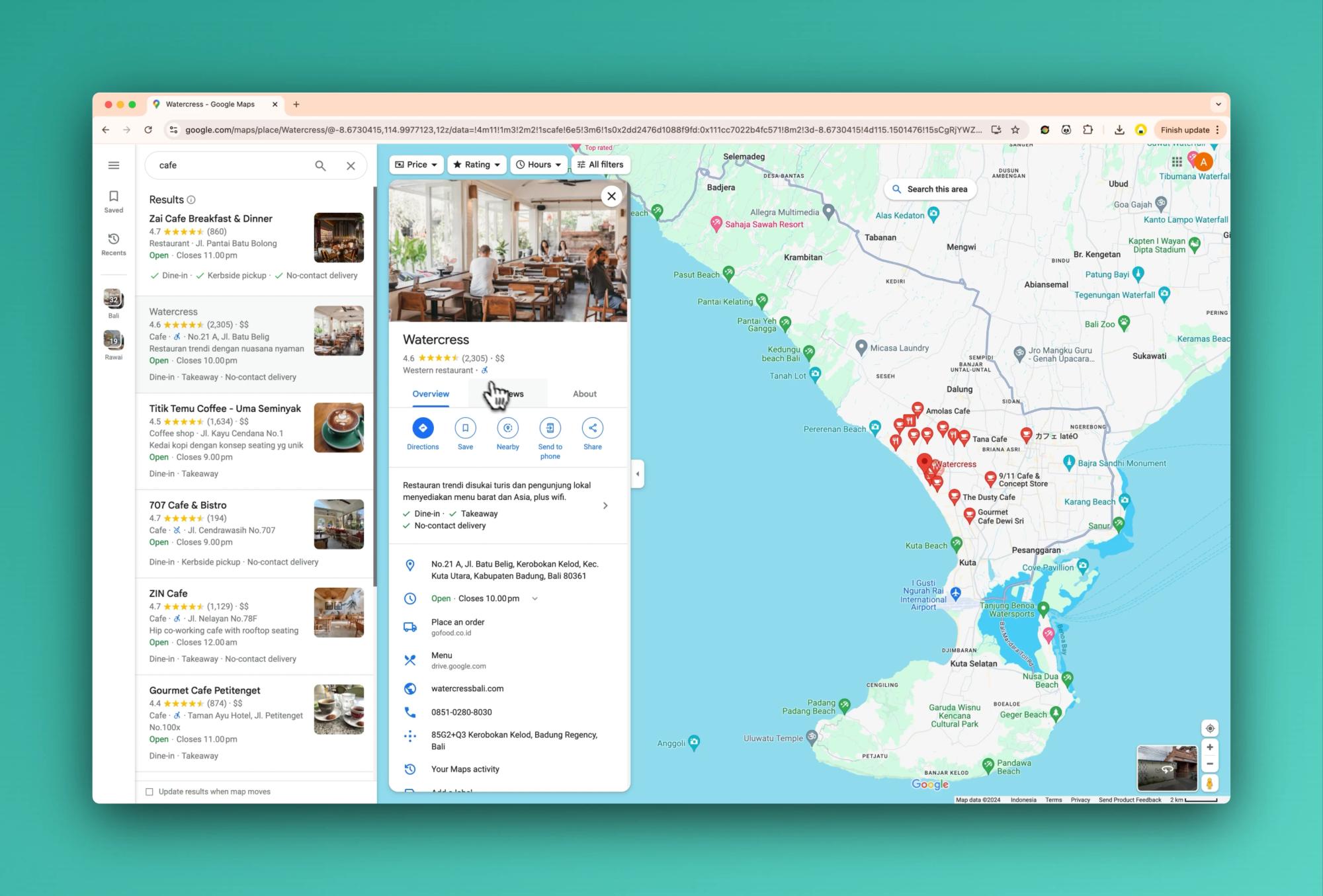
Ever found yourself manually copying phone numbers from Google Maps for your lead generation efforts? It's time to supercharge your process and leave those tedious hours behind.
Data Preview
Before we dive into the how-to, let's take a look at the goldmine of information you can extract from Google Maps using Ultimate Web Scraper:
| Data Type | Example |
|---|---|
| 📞 Phone Number | (555) 123-4567 |
| 🏢 Business Name | Joe's Pizza |
| 📍 Address | 123 Main St, Anytown, USA 12345 |
| ⭐ Rating | 4.5 |
| 📊 Review Count | (1,234) |
| 🌐 Website | https://joespizza.com |
| 🕒 Opening Hours | Mon-Sat: 11:00 AM - 10:00 PM, Sun: 12:00 PM - 9:00 PM |
| 🍕 Category | Pizza Restaurant |
| 💰 Price Range | $$ |
Now, let's focus on how you can effortlessly scrape phone numbers and other crucial business information from Google Maps without writing a single line of code.
Why Focus on Phone Numbers?
Phone numbers are the direct line to potential clients. They're essential for:
- 📞 Cold calling campaigns
- 📱 SMS marketing
- 🤝 Personal outreach
- 📊 Building comprehensive lead databases
Enter Ultimate Web Scraper: Your Phone Number Scraping Ally
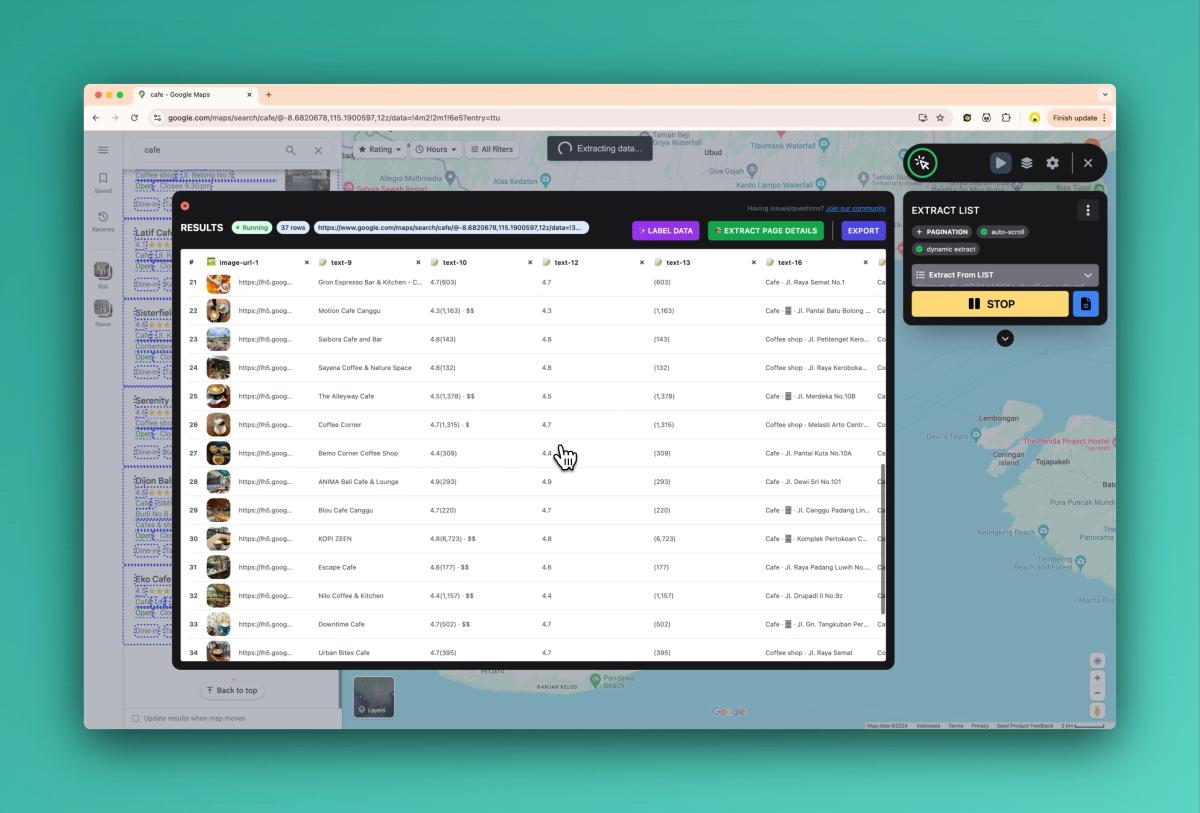
Ultimate Web Scraper is a powerful Chrome extension that transforms Google Maps into a lead generation powerhouse. Here's how you can use it to scrape phone numbers and more:
- Install Ultimate Web Scraper: Add the extension to your Chrome browser from the Chrome Web Store.
- Navigate to Google Maps: Open Google Maps and search for your target businesses. For example, "restaurants in Chicago" or "law firms in Boston".
- Activate Ultimate Web Scraper: Click the Ultimate Web Scraper icon in your toolbar to open the interface.
- Use the smart selection tool:
- Click on the first business listing in the search results.
- Ultimate Web Scraper will automatically detect the list structure and highlight all similar items.
- Instant Extract:
- Ultimate Web Scraper will automatically extract the selected data into a table.
- Feel free to delete columns of data you don't need.
- Set up pagination:
- Google Maps results load with infinite scrolling.
- Simply press RUN in the Ultimate Web Scraper Widget and it will start loading
- Page Details:
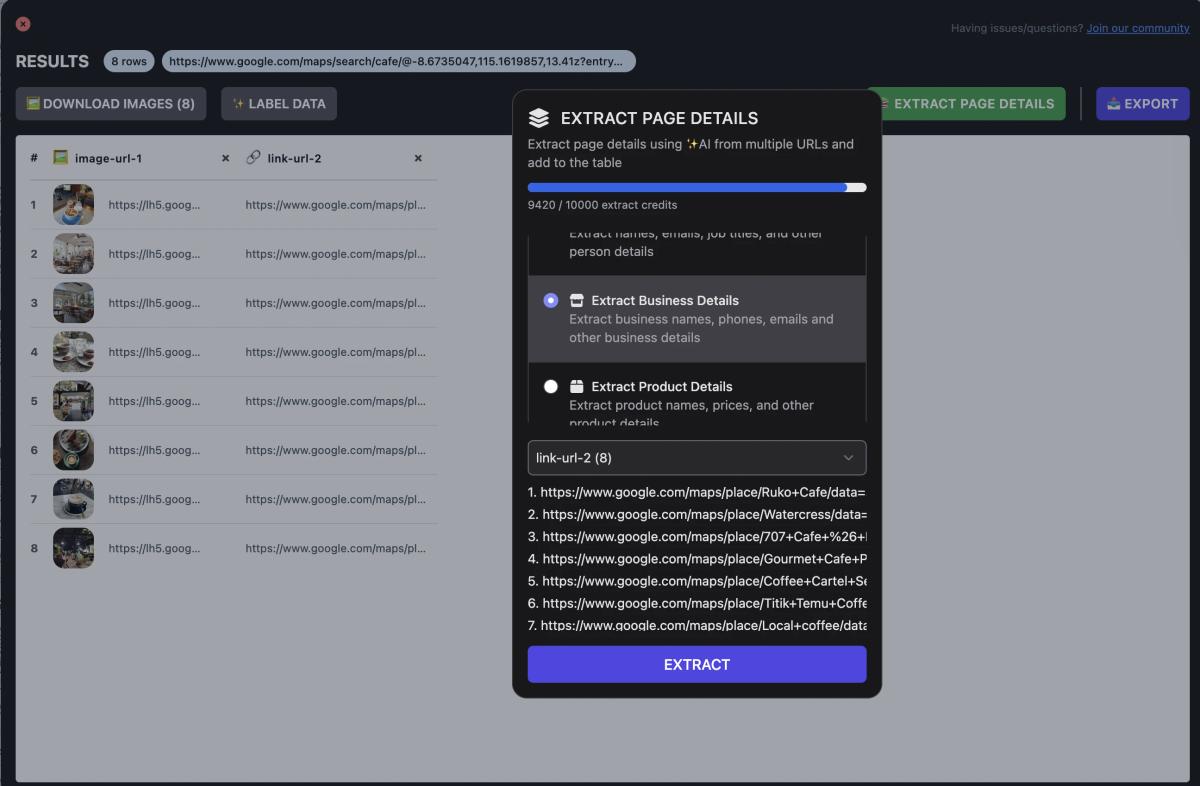
- Once you have a list of places, it's time to extract the phone numbers.
- Simply press the "Extract Page Details" button and select "Extract Business Details".
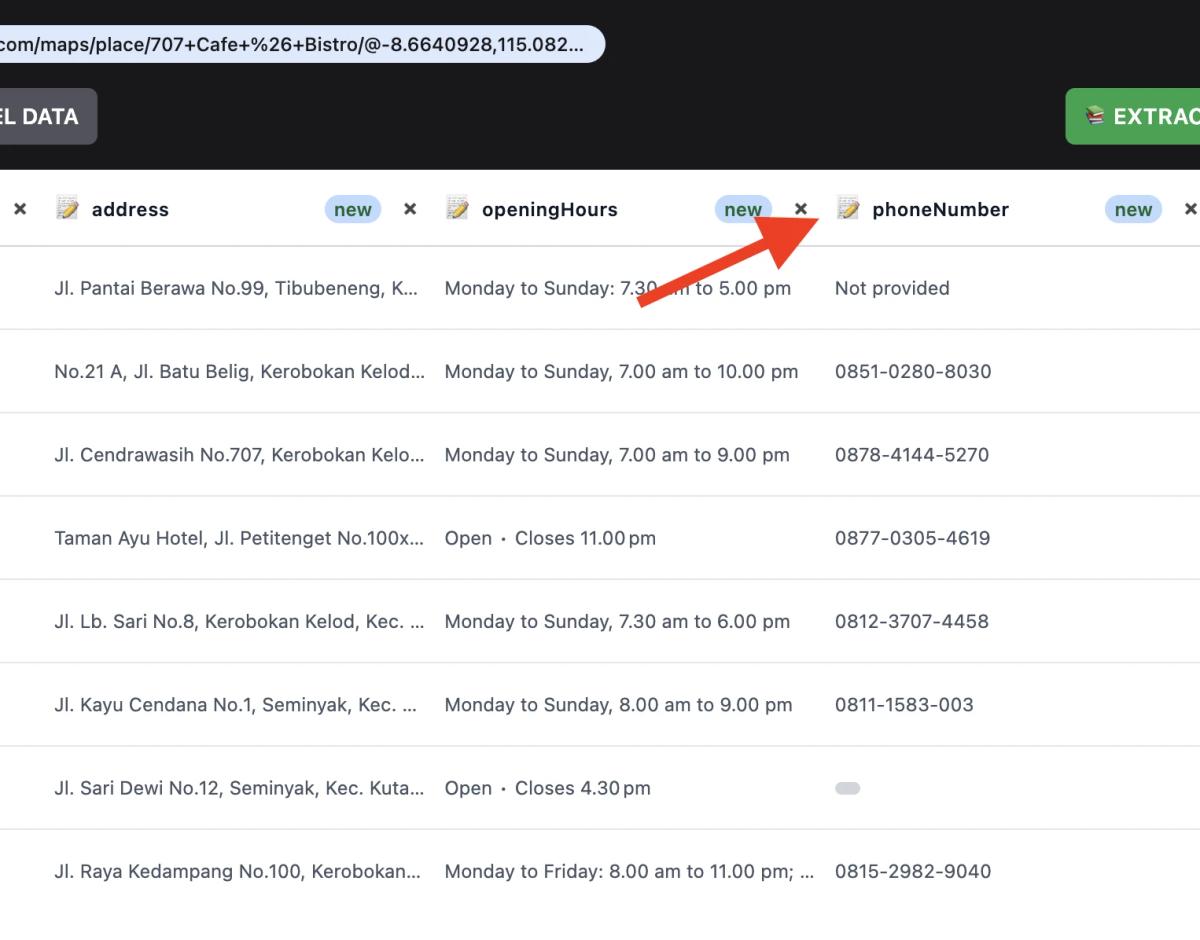
- Results!
- Once Ultimate Web Scraper is done, you should be able to see the phone number along side other business details
- Export Your Data:
- Once complete, preview your data in the table format provided.
- Choose your preferred export format (CSV, Excel, or Google Sheets) and download your leads.
Maximizing Your Phone Number Scraping
To get the most out of your Google Maps phone number extraction:
- 🎯 Be specific in your searches to target the most relevant businesses.
- 🔄 Use Ultimate Web Scraper's preview feature to ensure you're capturing all necessary information.
- 📊 Combine phone numbers with other extracted data for more comprehensive lead profiles.
- 🕒 Consider scraping during off-peak hours to avoid potential temporary blocks from Google.
Putting Your Scraped Phone Numbers to Work
Now that you have a treasure trove of phone numbers, here's how to leverage them:
- Targeted Outreach: Personalize your approach based on the business type and location.
- Local Marketing Campaigns: Create geo-targeted campaigns for businesses in specific areas.
- Market Analysis: Analyze the density of business types in different locations to inform your strategies.
- Competitive Intelligence: Map out competitor locations and gather insights about their online presence.
The Ultimate Web Scraper Advantage
With Ultimate Web Scraper, you're not just scraping phone numbers; you're unlocking a world of possibilities for your business:
- ⚡ Speed: Extract hundreds of phone numbers in minutes, not hours.
- 🎯 Accuracy: Eliminate manual copying errors and ensure data integrity.
- 📊 Comprehensiveness: Gather not just phone numbers, but a full suite of business information.
- 💼 Professionalism: Impress clients or superiors with your efficient lead generation capabilities.
Ready to revolutionize your lead generation process?
Give Ultimate Web Scraper a try and watch your contact list grow exponentially. Remember, in the world of sales and marketing, having the right contact information is half the battle. With Ultimate Web Scraper, you're always ahead of the game.
Start scraping smarter, not harder, and let Ultimate Web Scraper turn Google Maps into your personal lead generation goldmine.
Published on